
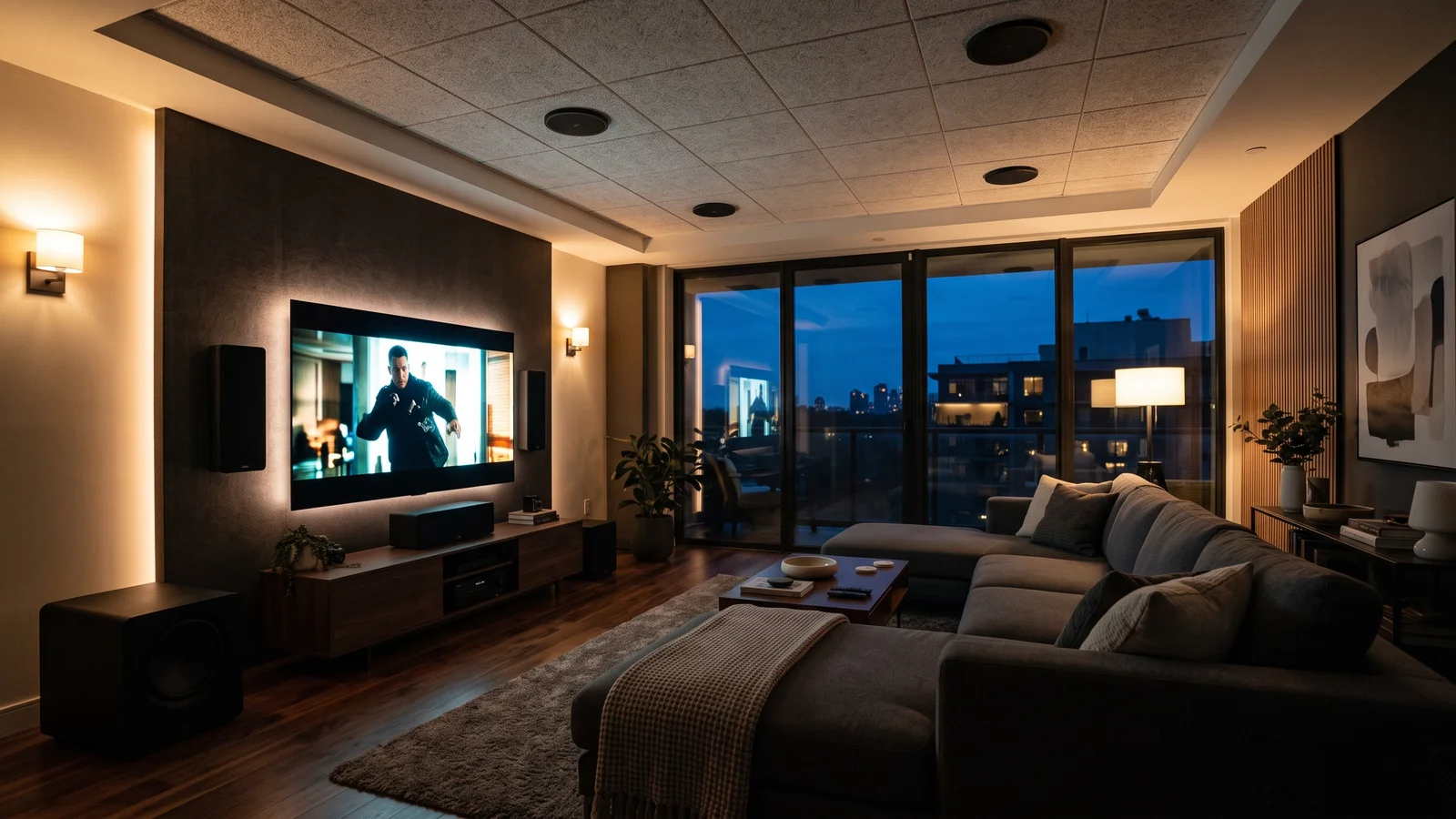
A vendor-neutral buyer's guide to home theater sound: channel-based vs object-based, what 7.1.4 means, and what you actually need to run Dolby Atmos at home.
Walk into any AV conversation and you'll get buried in numbers fast. 5.1, 7.1, 5.1.2, 7.1.4, Atmos, DTS:X. It sounds like a math test, and the marketing does nothing to help. Most of it is simpler than it looks.
I build home theaters for a living, and I've wired up every one of these formats in real rooms with real ceilings. So let me do the thing the spec sheets won't: explain what each format actually is, what it does for you as a listener, and what your room needs to play it. No brand loyalty, no upsell. By the end you'll read a receiver box like you wrote it, and you'll know which numbers matter for your space and which are just noise.
Key Takeaways
- Older formats are channel-based: sound is baked to fixed speakers. Newer formats (Dolby Atmos, DTS:X) are object-based, placing each sound in 3D space around you.
- "5.1" means five full-range channels plus one bass-only subwoofer channel, per Wikipedia. "7.1.4" adds two rear speakers and four overhead height speakers.
- Dolby Atmos reached cinemas in 2012 and living rooms in June 2014, per Dolby and Wikipedia.
- Getting the format is easy: almost any modern mid-range receiver "does Atmos." Getting it to sound right is speakers, placement, and room calibration.
- Streaming Atmos is compressed (lossy); UHD Blu-ray Atmos is lossless. That gap is bigger than most people expect.
What do the numbers in 5.1 and 7.1 actually mean?
The dot notation is a headcount, not a mystery. In "5.1," the five counts full-range channels: front left, center, front right, surround left, surround right. The ".1" is a single band-limited LFE channel, the low-frequency effects feed that drives your subwoofer, per Wikipedia. Six feeds total.
That center channel matters more than people expect. It anchors dialogue to the screen, so voices come from the actor's mouth instead of drifting toward whichever side you're sitting on. The two surrounds handle ambience and effects behind you. And the LFE? It's deliberately directionless. Deep bass below about 120 Hz is hard for your ears to locate, which is why one subwoofer in the corner can carry the whole room's low end.
Step up to "7.1" and you add two back-surround speakers behind the seats, per Wikipedia. That's eight feeds: the same front three, plus four surrounds, plus the sub. More wrap-around, more precise pans as a sound travels from front to back. In a longer room with two rows of seating, 7.1 earns its keep. In a small den, 5.1 often sounds just as convincing.
Here's the part that trips everyone up. A modern object format adds a third number, and it's not decoration.
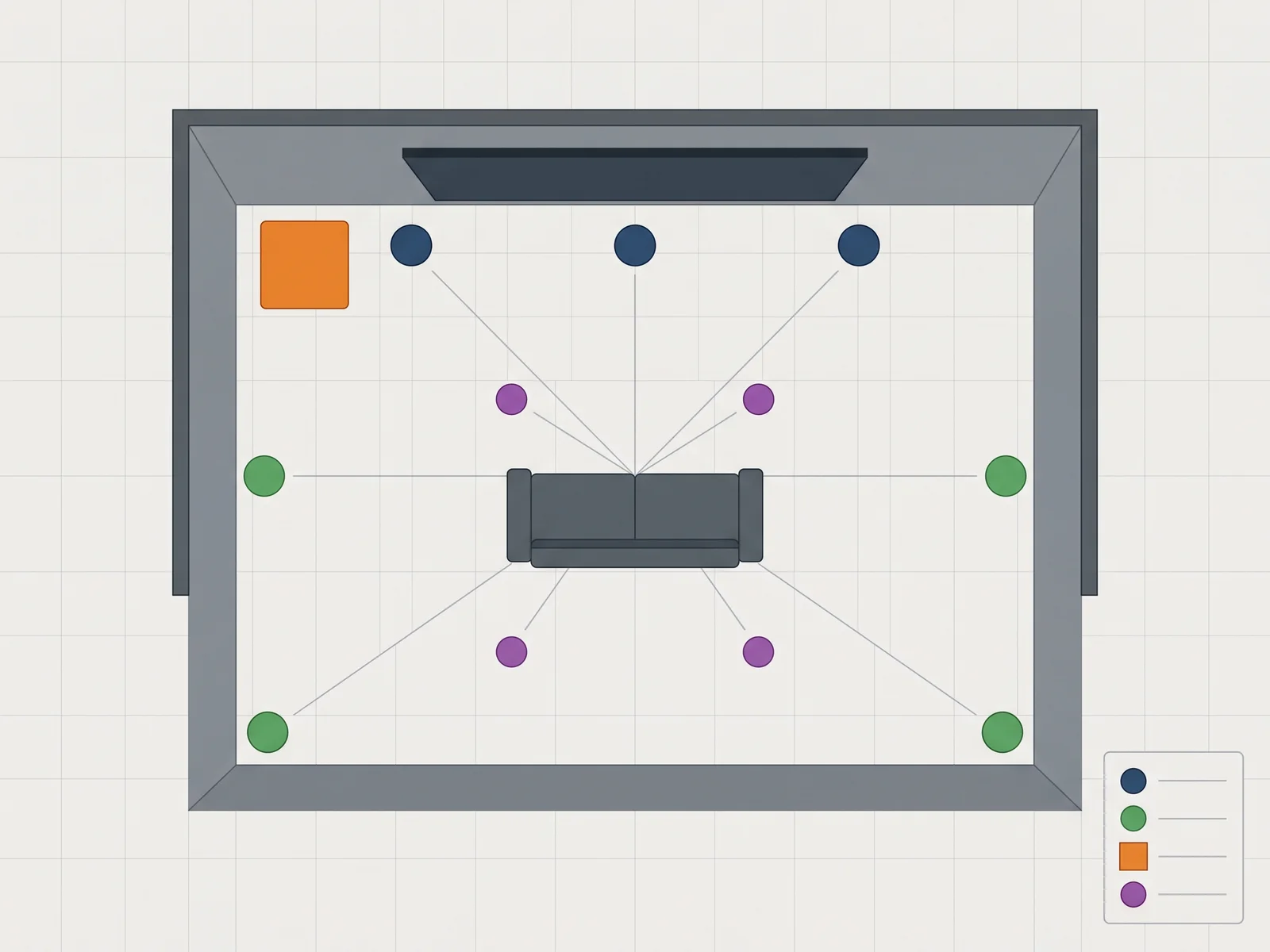
What does a third number like 7.1.4 mean?
That third digit counts height, and it's the whole reason immersive audio exists. In the notation "X.Y.Z," X is your ear-level speakers, Y is your subwoofer count, and Z is your overhead height speakers. So 5.1.2 means five ear-level speakers, one sub, and two height speakers. 7.1.4 means seven ear-level, one sub, four overhead. That's the layout Dolby documents in its own 7.1.4 setup guide.
Height is the dimension flat surround always missed. A helicopter passing over, rain on a roof, a jet climbing out of frame: with overhead speakers, those sounds actually come from above you instead of from the walls. It's the difference between a sound field around your head and a bubble that includes the ceiling.
The four height speakers in a 7.1.4 sit in two pairs: one pair slightly ahead of the seats, one pair slightly behind. Dolby's 5.1.2 guide covers the two-speaker version for smaller rooms, where a single overhead pair still delivers a real sense of height. You don't need a stadium of speakers. You need the right few in the right places.
What is the difference between channel-based and object-based sound?
This is the single most useful distinction in modern home audio, and it splits the whole timeline in two. Channel-based formats bake every sound to a fixed speaker at the mixing stage. Object-based formats store each sound as a separate object with position data attached, then let your receiver figure out where to send it. Dolby's cinema system was built to handle up to 128 simultaneous audio objects, per Dolby.
Think of the old way like assigned seating. The mixer decides "this gunshot goes to the left surround," and that's where it lives forever, on every system, no matter your speaker count. It works, but it can't adapt. A 5.1 mix is a 5.1 mix.
The object way is more like a valet. The mix says "this gunshot is here, twelve feet up and to your left," and the receiver's renderer looks at your actual speakers and reproduces that position as best it can. Give it four height speakers and it uses them. Give it two, it adapts. That's why the same Atmos soundtrack scales from a soundbar to a full theater. As Digital Trends explains, object-based audio lets a single sound move freely anywhere in a hemisphere around you instead of living on a fixed channel.
What is Dolby Atmos and how did it reach your living room?
Dolby Atmos is the most common object-based format, and it took a two-step path from theater to sofa. It premiered in cinemas in June 2012 with Pixar's "Brave," at a Los Angeles screening whose exact venue is reported inconsistently, so I'll leave the theater unnamed. The home version arrived in June 2014, per Dolby and Wikipedia. The first Atmos Blu-ray was "Transformers: Age of Extinction."
What Atmos does, in plain terms, is add the height layer to a normal surround mix and make the whole thing object-based. Older Dolby formats steered sound between speakers on the floor. Atmos lifts sounds up and moves them through the space above you, then hands the placement job to your gear.
The catch worth knowing before you buy: not all Atmos is equal. Streaming Atmos rides on a compressed, lossy codec called Dolby Digital Plus, and no major streaming service delivers the lossless version. UHD Blu-ray, by contrast, carries Atmos inside Dolby TrueHD, a bit-for-bit lossless copy of the studio master, per Wikipedia. Same object magic, very different data. On a resolving system, discs still pull ahead.
What is DTS:X and how is it different from Atmos?
DTS:X is the main rival object format, and the practical differences are smaller than the marketing suggests. DTS:X debuted at CES in early 2015, per DTS and Wikipedia, and its exact launch date is reported a few different ways. Like Atmos, it's object-based and adds height. Unlike Atmos, it doesn't insist on a fixed speaker layout, so it's a bit more flexible about where your speakers go.
The other real difference is delivery. DTS:X supports up to 5.1.4 from streaming and up to 7.1.4 from disc, and its home movie tracks are typically carried losslessly inside DTS-HD Master Audio, per Wikipedia. On UHD Blu-ray you'll often find one film in Atmos and another in DTS:X, chosen by the studio.
Which sounds better? Honestly, the format matters far less than the mix and your room. As Crutchfield notes in its head-to-head, most modern receivers decode both, so you don't have to pick a side. Buy a system that handles both, then stop worrying about it. The soundtrack the studio put effort into is the one that'll sound great, whatever the logo says.
What about Auro-3D and the other formats?
Auro-3D is the third immersive format, and it's worth a sentence even though most homeowners never touch it. It comes from Auro Technologies in Belgium and takes a layered approach, stacking a height layer directly above the main speakers rather than treating sound as free-floating objects, per Wikipedia. Home configurations run from 9.1 up to 13.1.
You'll see Auro-3D on some high-end processors and a modest catalog of releases. It has real fans for concert recordings, where its layered height sounds natural. But content is thin next to Atmos and DTS:X, and far fewer receivers decode it. For nearly every home theater I build, the choice is Atmos and DTS:X, both standard on mainstream receivers. Auro-3D is a nice-to-have for a specific enthusiast, not a box you need to check.
How do you add height speakers without wrecking your room?
There are two ways to get height, and the accuracy gap between them is large. The best method is overhead speakers, either mounted in the ceiling or on it, firing straight down at the seats. Dolby's own Atmos speaker setup guidance treats overhead placement as the reference for a reason: the sound arrives where it's supposed to, with no bouncing required.
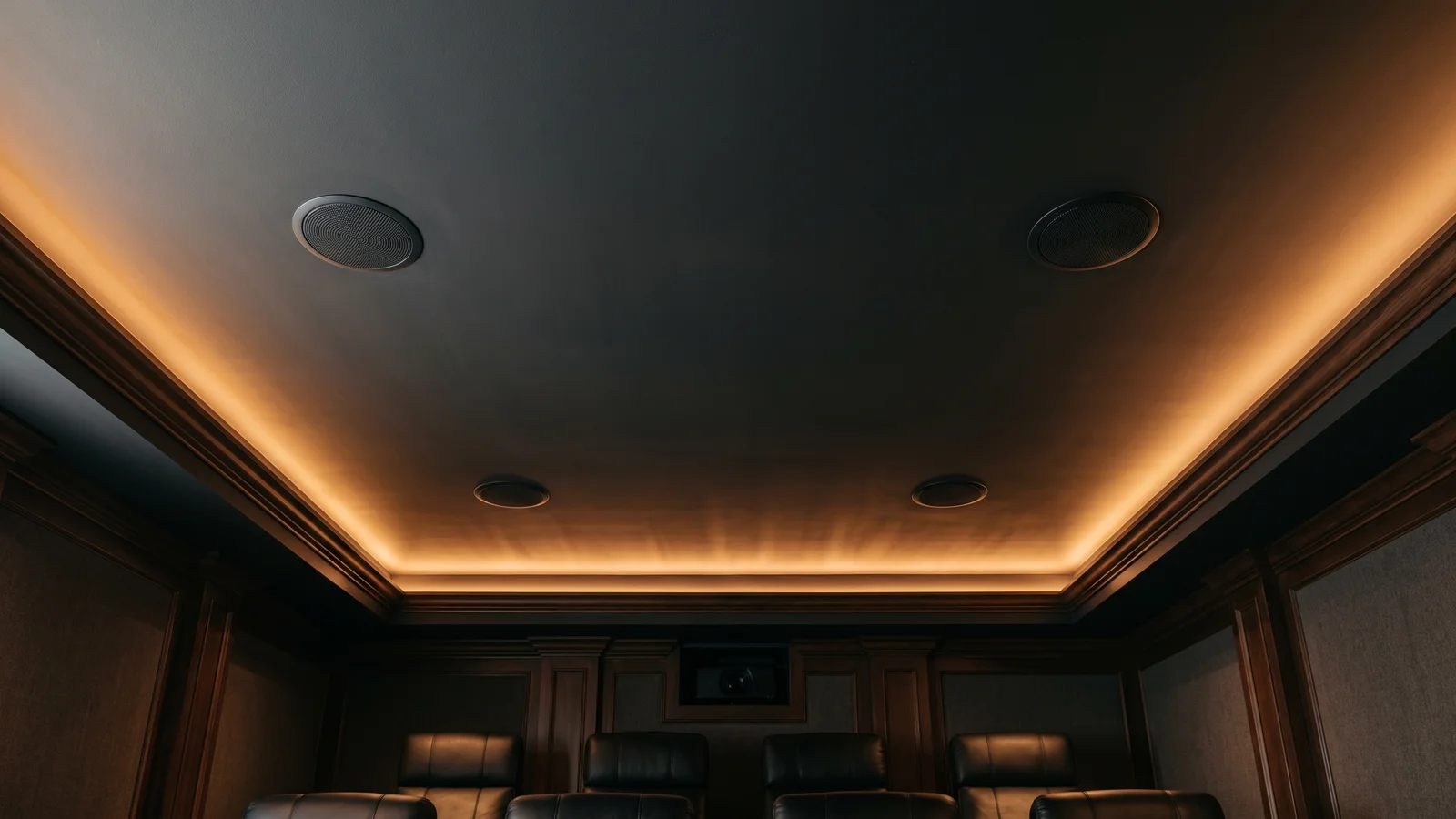
The convenient alternative is up-firing speakers. These are Dolby Atmos-enabled modules, sometimes built into a tower, sometimes a small box you set on top of your fronts, that fire upward and bounce sound off the ceiling to fake a height channel. They work, after a fashion, but they lean entirely on a flat, hard, reflective ceiling. Vaulted ceiling, beams, or acoustic tile, and the effect falls apart. I treat up-firing as a lighter-touch compromise, not the recommendation.
Now, the design discipline I actually build to. In my rooms, main speakers go on-wall or on stands as towers, never buried inside the wall, because a cabinet in free air sounds better and stays serviceable. I cap height speakers at four, which lands every practical layout at 5.1.2, 5.1.4, or 7.1.4. And subwoofers are sealed, for tighter, more accurate bass. That's not a limitation; it's a deliberate spec that keeps the system honest. You can read how we approach speaker cabinets on our custom speakers page.
What do you actually need to run Atmos or DTS:X at home?
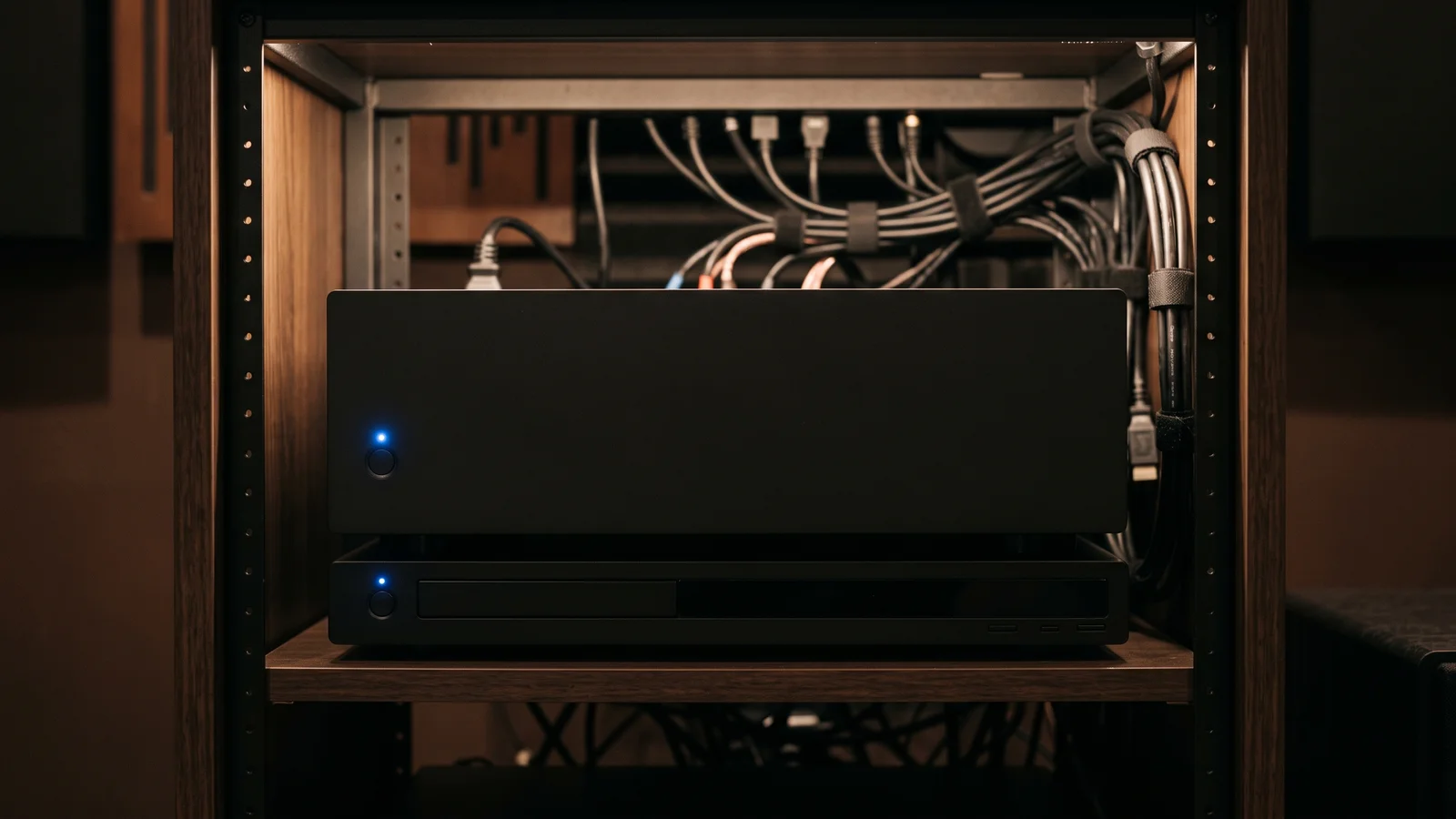
Four things, and only four. You need a receiver or processor that decodes the format, the right speakers placed correctly, a subwoofer, and content encoded in that format. For object formats, the receiver has to include a renderer, the software brain that maps objects to your speakers. That's why Dolby lists a compatible AV receiver as the first requirement in its setup guides. Miss any one and you're not hearing the format, you're hearing a downmix.
Start with the receiver. Almost any modern mid-range AV receiver decodes both Atmos and DTS:X out of the box, so this is the easy part. Match it to your speaker count: a 7.2.4 capable receiver has amp channels for seven ear-level speakers, two subs, and four heights.
Then the speakers and the sub. This is where the money and the results live, and where most systems fall short, not on the electronics. Finally, the content. Remember the streaming-versus-disc split: streaming Atmos is lossy Dolby Digital Plus, while UHD Blu-ray gives you lossless TrueHD, per Wikipedia. If sound quality is the goal, keep a disc player in the rack.
Why is getting the format easy but getting it right hard?
Because the format is a checkbox and the sound is a craft, and the industry keeps confusing the two. Any modern mid-range receiver "does Atmos," per the compatibility Dolby documents in its setup guides. Decoding the format is trivial and nearly free. Making it actually sound immersive in your specific room is speakers, placement, and calibration. That's the 90 percent nobody prints on the box.
Here's what I see on real jobs. Two rooms with identical receivers and identical Atmos discs can sound worlds apart, because one has the height speakers aimed right and the room tuned, and the other has speakers dumped wherever the drywall allowed. The object renderer can only place a sound accurately if the speaker is where it thinks it is. Sloppy placement, sloppy result, no matter how many channels you paid for.
Room calibration is the finishing step that ties it together, and even Dolby notes that room correction helps optimize an Atmos setup. A calibration mic measures each speaker at your seat, sets distances and levels, and tames the worst of the room. Get the speakers, placement, and tuning right, and a modest 5.1.4 will embarrass a badly built 7.1.4 every time. If you want that done properly, that's exactly what we build into every custom home theater.
Frequently Asked Questions
What is Dolby Atmos?
Dolby Atmos is an object-based surround format that adds overhead height sound to your home theater, per Dolby. Instead of assigning sounds to fixed speakers, it stores each sound as an object with position data, then lets your receiver place it on whatever speakers you own. It reached homes in June 2014.
What does 5.1 mean in surround sound?
"5.1" means five full-range speaker channels plus one bass-only subwoofer channel, per Wikipedia. The five are front left, center, front right, and two surrounds. The ".1" is the LFE channel, a directionless deep-bass feed for the subwoofer. Six audio feeds carry the whole soundtrack around your room.
Is Dolby Atmos better than 7.1?
For most rooms, yes, because Atmos adds a height dimension that flat 7.1 simply lacks, per Dolby. A 7.1 system wraps sound around you at ear level; Atmos adds overhead speakers so sounds can move above you. That said, good 7.1 beats poorly placed Atmos. Speaker quality and placement matter more than the format label.
Do I need special speakers for Dolby Atmos?
You need height speakers, but not necessarily special ones, per Dolby's setup guides. The most accurate option is overhead speakers mounted in or on the ceiling. The convenient alternative is Atmos-enabled up-firing speakers that bounce sound off a flat ceiling. Your existing front, center, and surround speakers keep working as the ear-level layer.
What is the difference between Dolby Atmos and DTS:X?
Both are object-based formats that add height, and most modern receivers decode both, per Crutchfield. DTS:X is a bit more flexible about speaker placement and often ships losslessly inside DTS-HD Master Audio on disc. In practice the mix and your room matter far more than which format a given film uses.
Sources
- Dolby Laboratories - "Dolby Atmos": https://www.dolby.com/technologies/dolby-atmos/
- Dolby Laboratories - "Speaker Setup Guides": https://www.dolby.com/about/support/guide/speaker-setup-guides/
- Dolby Laboratories - "7.1.4 Overhead Speaker Setup Guide": https://www.dolby.com/about/support/guide/speaker-setup-guides/7.1.4-overhead-speaker-setup-guide/
- Dolby Laboratories - "5.1.2 Overhead Speaker Setup Guide": https://www.dolby.com/about/support/guide/speaker-setup-guides/5.1.2-overhead-speaker-setup-guide/
- DTS - "DTS:X": https://dts.com/dts-x/
- Wikipedia - "Dolby Atmos": https://en.wikipedia.org/wiki/Dolby_Atmos
- Wikipedia - "DTS:X": https://en.wikipedia.org/wiki/DTS:X
- Wikipedia - "5.1 surround sound": https://en.wikipedia.org/wiki/5.1_surround_sound
- Wikipedia - "7.1 surround sound": https://en.wikipedia.org/wiki/7.1_surround_sound
- Wikipedia - "Dolby TrueHD": https://en.wikipedia.org/wiki/Dolby_TrueHD
- Wikipedia - "DTS-HD Master Audio": https://en.wikipedia.org/wiki/DTS-HD_Master_Audio
- Wikipedia - "Auro-3D": https://en.wikipedia.org/wiki/Auro-3D
- Digital Trends - "Ultimate surround sound guide: DTS, Dolby Atmos, and more explained": https://www.digitaltrends.com/home-theater/ultimate-surround-sound-guide-different-formats-explained/
- Crutchfield - "DTS:X vs. Dolby Atmos": https://www.crutchfield.com/learn/dts-x-vs-dolby-atmos.html
Mike Vincent is the founder of Mike Knows Audio Video and WubWub Audio, where he designs and hand-builds custom loudspeakers and home theaters in Arizona, the old way, for about fifteen clients a year. He's wired every format in this guide into real rooms and will tell you the truth about which numbers matter for yours; if you're ready to build one properly, start with our custom home theater systems and read more about the speakers on our about page.
Comments
Leave a Comment